Process Control
Exceptions
Recall: the CPU executes one instruction after another. Typically, when they are next to each other in memory (unless there are jumps, branches, and returns from subroutines).
This may lead you to wonder: how does an infinite loop not take down your whole system (even if you have a 1 core CPU)
Exceptional Control Flow is triggered by hardware and software exceptions. These are deviations from the sequential role.
Exceptions can come in the form of:
- interrupts, which are
- a signal from I/O device (hardware interrupts like keyboard presses). Data transfers from hardware
- Or a timer interrupts for multi tasking, giving time for the CPU to regain control.
- Traps and system calls that can be intentional or trigerred by instruction ("syscall")
- Faults maybe recoverable, e.g., swapped out memory ("page fault"). If recovered, return to regular control flow.
- Aborts are for unrecoverable fatal errors, e.g., memory corrupted. The application is terminated.
Exceptions cause a change to the control flow. The flow looks something like:
- Execute instructions. Control on the process
- The instructions is suspended.
- There is an interrupt, the current instruction is finihsed, and control is passed to the kernel
- The interrupt handler has control
- Handler returns to the next instruction, and the process is resumed.
Processes
Exceptions are the basic building block for processes. Modern computers seem to run serveral things at once (like retrieving and displaying web pages, playing music in the background, accept emails)
So think of processess as a running program.
- The process should appear to have full access to memory
- Appear to run without interruptions.
Time slicing is the idea that each process gets access to the CPU at different times.
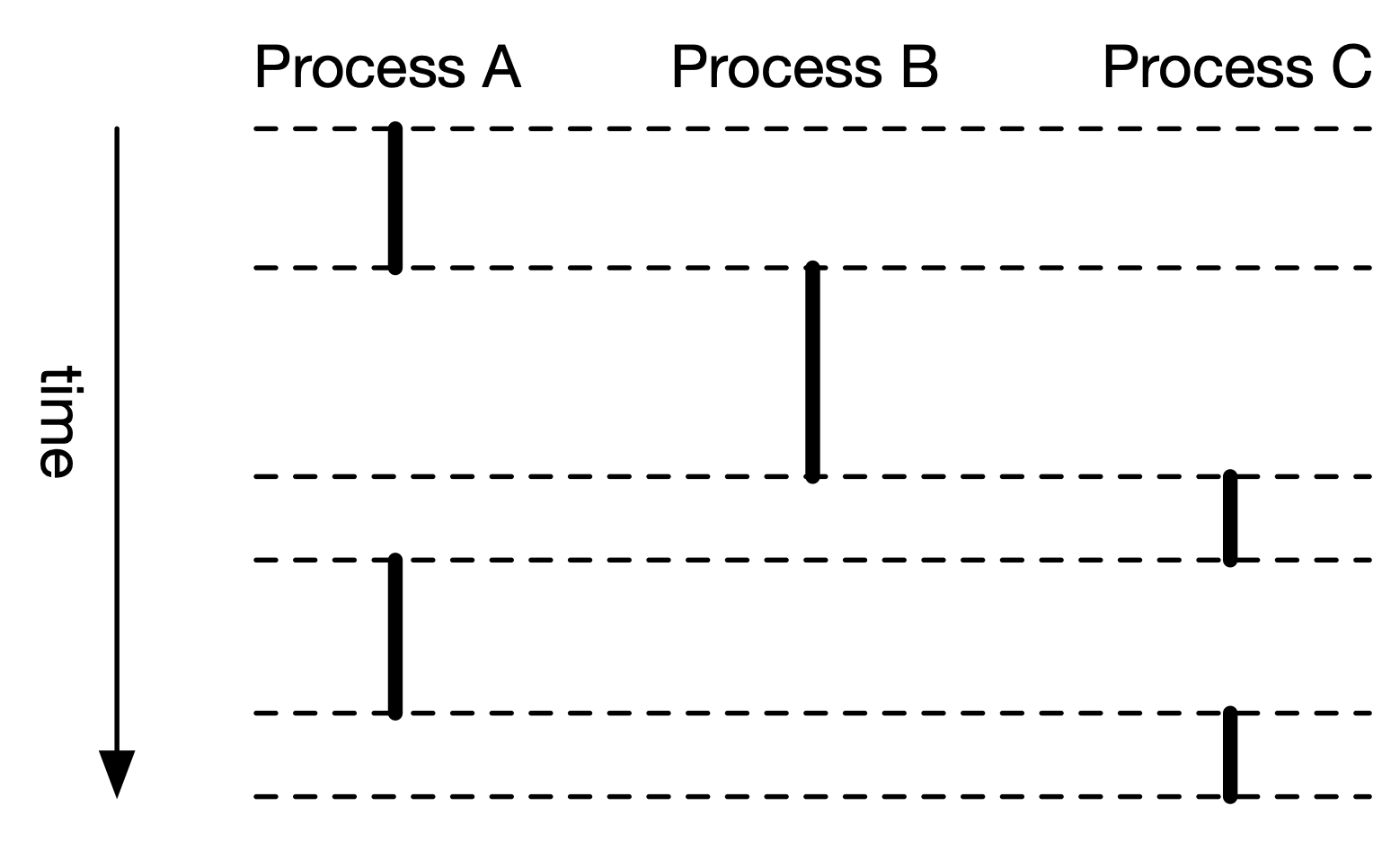
- CPU regains access in between each slice
In reality,
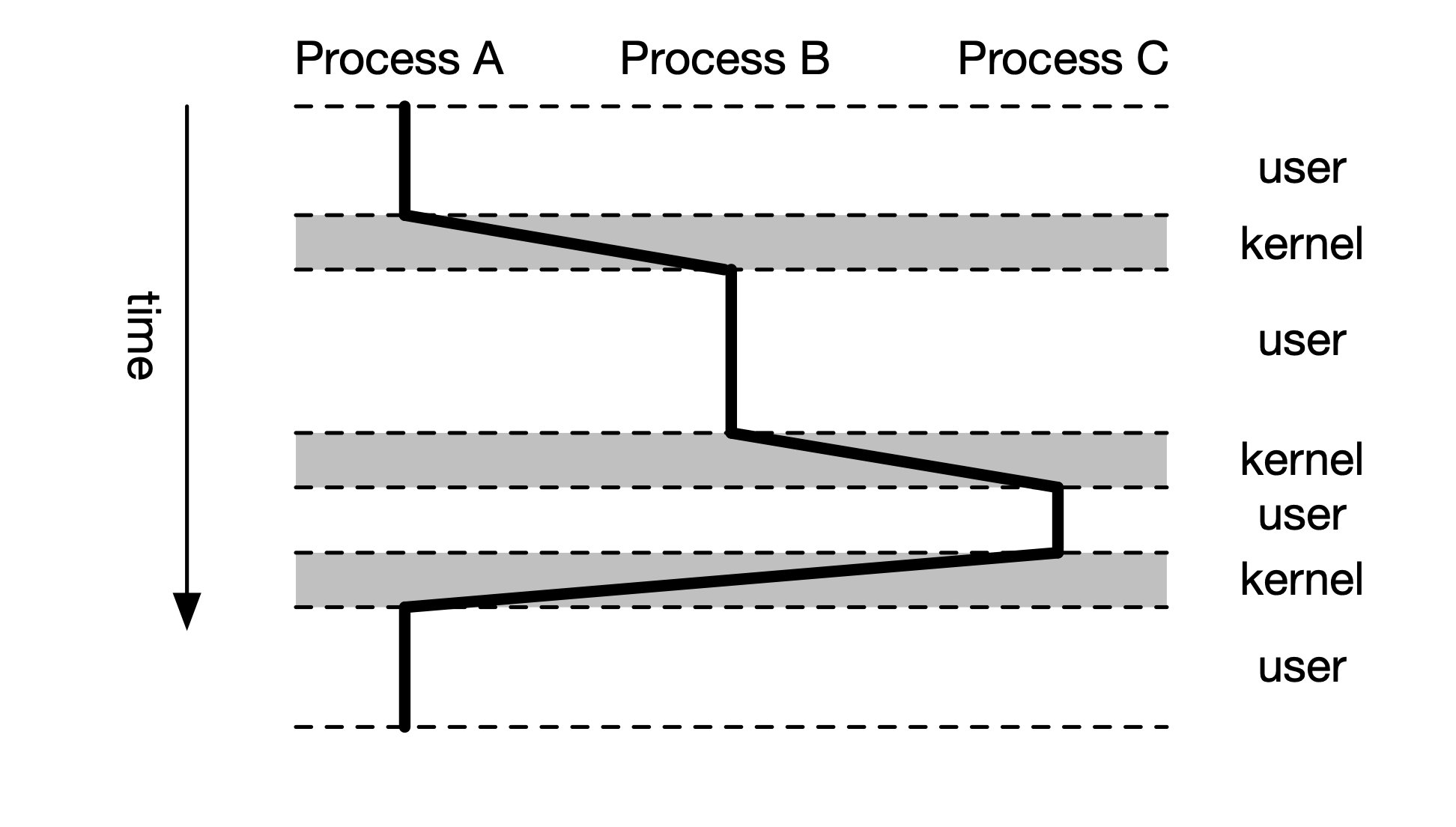
- the kernel mode switches back and forth.
User and Kernel Mode
There are two modes which are controlled by the mode bit in the control register.
Kernel mode: may execute any instruction, access any memory. Used by operating system. User mode: limited to private memory. Ordinary process are ran in this mode. Even if your bug has in it, it wont affect important memories.
You can switch from user to kernel mode voluntarily, through an interrupt, or a system call. The switch is done on the hardware level.
Recall: Each process has its own private address space. It has certain memory that it can access, which is set up by the operating system.
Context
The kernel maintains context for each process.
A process context indicates all the information that the os kernel needs to perform the service being requested. Information consists of:
- program counter (freezes the state of the CPU)
- register values (frozed so you can load back to CPU register values)
- address table (defines which areas the process can access)
- opened file
- various meta information (like process name)
In Linux, each process context is viewable in /proc file system.
System calls
Some examples:
| Number | Name | Description |
|---|---|---|
| 0 | read | read from file |
| 1 | write | write to file |
| 2 | open | open file |
| 3 | close | close file |
| 33 | pause | suspend process until signal arrives |
| 39 | getpid | get process id |
| 57 | fork | create new process |
| 60 | exit | end process |
| 61 | wait4 | wait for a process to terminate |
| 62 | kill | kill another process |
To make a system call in assembly:
movq $1, %rax // write is system call 1
movq $1, %rdi // arg1: stdout is "file" 1
movq string, %rsi // arg2: hello world string
movq len, %rdx // arg3: length of string
syscall

movq $60, %rax // exit is system call 60
movq $0, %rdi // exit status
syscall
Process Control
Create a new process with C:
int main() {
	int x = 1;
	pid_t pid = fork();

	if (pid == 0) {
		printf("child x = %d", ++x);
		exit(0)
	}
	printf("parent x = %d", --x);
	exit(0)
}
When run, returns
parent x = 0
child x = 2
Processes are completely independent of each other.
Fork
Syscall 57, fork() create a child process
- call it once, returns twice, once in the child process (return value of
0) and once in the parent process (return vaue is the process id of child) - The parent and child processes will run concurrently.
- There is no guarantee which proceeds first
- Duplicate by separate address space. Initially the memory is identical, but each process will make changes to its private copy.
Death in the Family
When a child process dies, the process still is in the kernel's process table. It'll wait until the parent to read exit status.
- Defined as a "zombie": dead, but still active occurs when a child finishes, but the parent doesn't wait for it.
When the parent process dies, the children processes become orphaned.
- Orphan killing: terminate all orphoned processes
- Re-parenting: make
initprocess (pid: 1) parent (-> a "daemon" process)
Mechanism for waiting for child to die
- parent spawns child process
- both processes running
- parent waits for child to complete with
waitpid()in C orsyscall 61in assembly - parent stalls
- child dies (zombie)
- parent receieves exit status of child
- child dies completely.
Exec is used for the parent process to execute another parent. Done with execve(filename, argvc, envp) in C or syscall 59 in assembly.
- Passes environment variables (
envp) - Executed command takes over
- If both should run: fork first (split the process and then call something else)
Linked from Computer System Fundamentals